
“Sure… my car is fast but is it really fast enough?”. A thought on the mind of petrol heads (admittedly, just like me) the world over. In truth it probably is but it could always be a little faster, right?
A popular power boosting modification is to swap out your intercooler for a larger unit but how does this help? Well let’s use SOLIDWORKS Flow Simulation to find out.
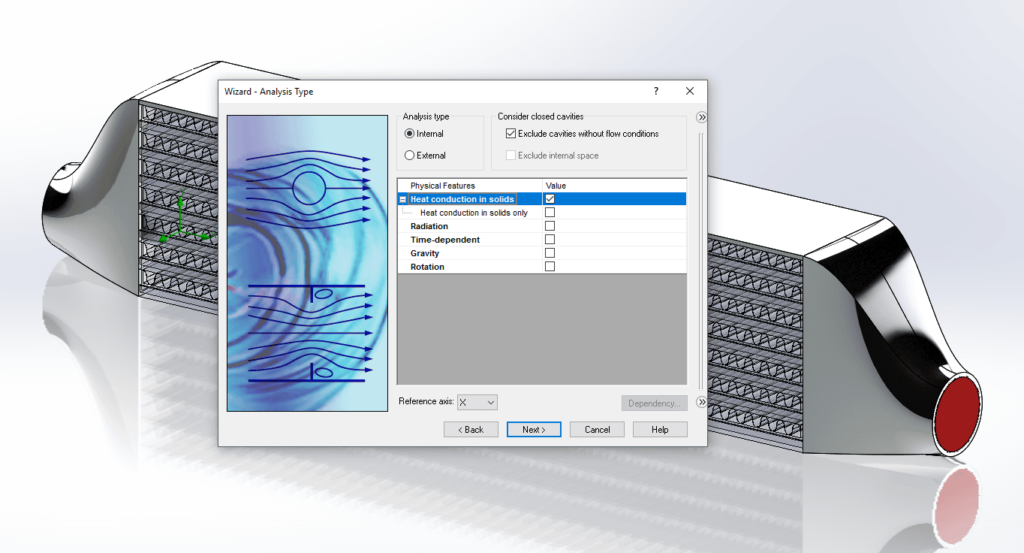
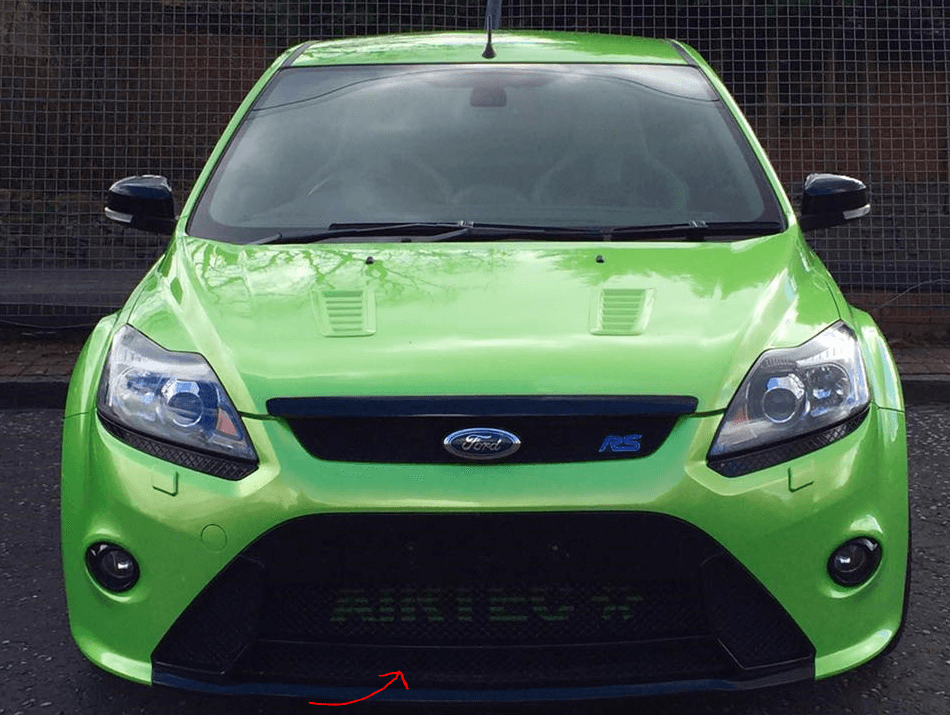
We’ll begin by adding lids to the inlet and outlet of the intercooler (highlighted in red) because we intend to run an internal analysis. Next we’ll use the intuitive Flow Simulation wizard interface to start building our study.
After being compressed to almost 2 bar by the turbo forced induction air can get hot! As the intercoolers job is to lower this temperature as rapidly as possible we’re definitely interested in heat conduction in this study.
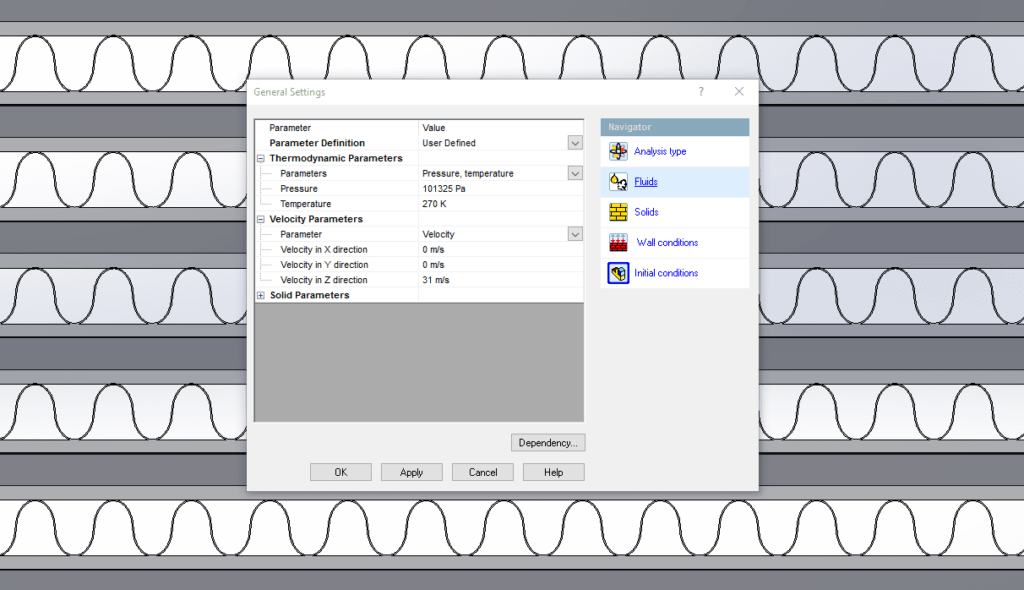
Next, our general study setting. -3c (270k) ambient should simulate the Scottish summer nicely. We’ll also add a Velocity parameter in the z direction of 31 m/s (70mph) to simulate the car travelling along a typical motorway at speed.
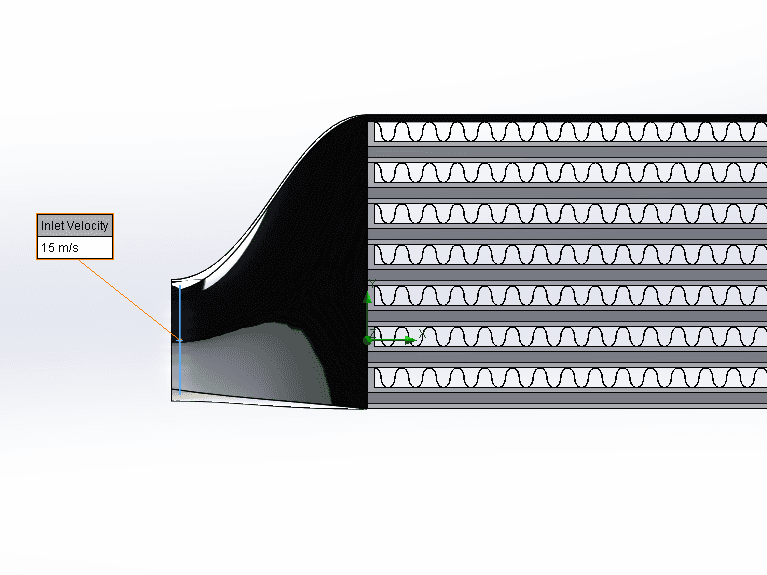
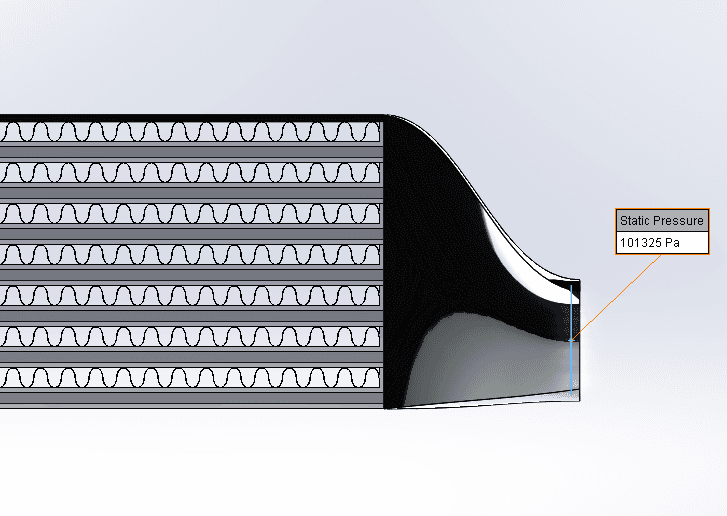
For the boundary conditions we’ll keep it simple. 15m/s of 30c air at the inlet and static pressure on the outlet:
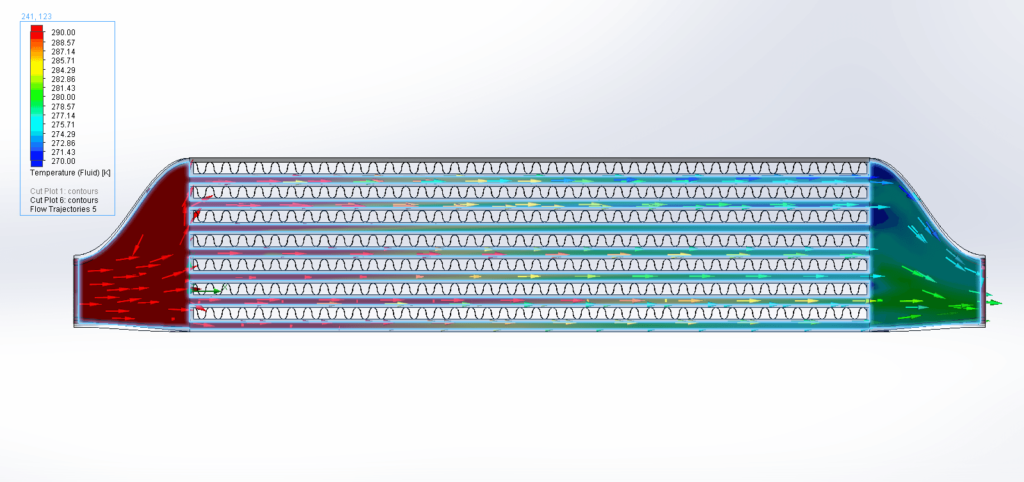
The cut plot and flow trajectory results show a dramatic drop in outlet temperature, around 25c! This colder, denser air means a bigger combustion bang resulting in more power and, according to SOLIDWORKS Flow Simulation, the bigger the better.
Looks like the cost and skinned knuckles from fitting were worth it after all!