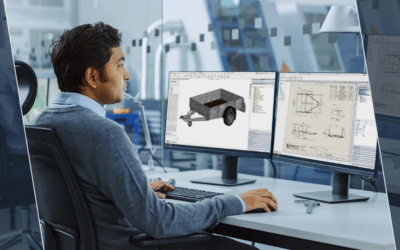
Modern engineering demands faster development, smarter design decisions and fewer costly mistakes. Engineering simulation gives designers the ability to test and evaluate their ideas digitally before committing to physical prototypes, tooling or production.
With tools such as SOLIDWORKS Simulation, simulation is no longer something reserved for specialist analysts. It can become part of the everyday design workflow, helping engineers make more informed decisions earlier in the product development process.
1. Make More Confident Design Decisions
Simulation provides calculated data that can show how a part or assembly is likely to perform under real-world conditions.
Engineers can investigate factors such as stress, deflection, temperature, airflow and fatigue, helping answer important questions before physical testing begins.
However, reliable results depend on using the right inputs, including accurate geometry, material properties, mesh quality and realistic loads and boundary conditions.

2. Solve Real Engineering Problems

Simulation can help engineers answer practical questions throughout the design process:
- Will the part withstand the required loads?
- Will it overheat?
- How will air or fluid move through the design?
- Will the product withstand repeated use?
- Can it be manufactured effectively?
By answering these questions digitally, engineers can identify potential issues and refine designs before investing in physical prototypes.
3. Identify Problems Earlier
One of the biggest benefits of simulation is when you use it.
Rather than waiting until a design is complete before validating it, engineers can introduce simulation during the concept stage. This makes it possible to compare different designs, eliminate weaker concepts and explore performance while changes are still relatively easy to make.
Finding a problem during early design is generally far less disruptive than discovering it after tooling has been produced or a physical prototype has been built.

4. Reduce Prototypes and Speed Up Development

Traditional build-and-test cycles can be expensive and time-consuming. Simulation allows engineers to perform more digital iterations before committing to physical testing.
For example, CALOI used SOLIDWORKS Simulation alongside SOLIDWORKS Design and reported reducing its design cycles from two months to two weeks, while cutting the cost and time associated with prototyping by at least 50%. Physical testing remained part of the process, but was used primarily for final validation.
5. Integrate Simulation Into Your Design Workflow
Simulation is most powerful when it works alongside the design process rather than being treated as a separate final-stage activity.
With simulation integrated into CAD, engineers can modify a design, run an analysis, review the results and refine the model in a continuous design–simulate–refine cycle.
Cloud computing, automation and AI are also making simulation increasingly accessible, reducing the barriers to using advanced analysis as part of everyday engineering workflows.

Start Using Simulation Earlier
Simulation doesn't replace engineering expertise, it strengthens it. By providing measurable data about how a design is likely to perform, simulation helps engineers reduce guesswork, explore more ideas and identify potential problems earlier.
The result is a more proactive approach to product development: design, simulate, refine and evaluate — before problems reach production.
Get in touch with us to learn how SOLIDWORKS Simulation can benefit your business