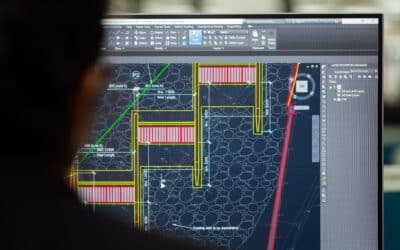

Autodesk has unveiled the latest evolution of AutoCAD, and this time, it’s a genuine leap forward. AutoCAD 2027 goes far beyond a standard update. For the first time in its history, multiple users can work on the same DWG file simultaneously, unlocking true real-time collaboration across teams. Alongside this, new AI capabilities can interpret your drawings with remarkable accuracy, while an upgraded graphics engine delivers a faster, smoother experience.
These innovations, combined with a range of workflow enhancements, are designed to help every user work smarter, faster, and more efficiently than ever before.
Key Features of AutoCAD 2027
To help you get the most out of this release, we’ve broken down the standout features so you can start using AutoCAD 2027 with confidence.
Introducing Autodesk Assistant
Autodesk Assistant delivers intelligent, in-context guidance powered by Autodesk AI. Autodesk Assistant is built on Model Context Protocol (MCP) which means the AI interprets the drawing context and user intent, enables CAD standards checking and allowing you to leverage AI chat and prompt driven workflows – you ask questions in plain English and get real answers.
Forma Data Management Essentials
Forma Data Management Essentials is replacing Autodesk Docs and is included in standalone subscriptions of AutoCAD. Bringing cloud-based project data management into the tools you already use.
Checkout
The new headline feature of AutoCAD 2027 is Checkout. Which introduces a new way of collaborating on shared DWG filed by reserving only the geometry you need, allowing you to work in parallel within isolated editing environments and safely apply changes back to the source drawing via Forma Data Management, keeping you in control. Basically, teams can now edit the same drawing.
Geometry Cleanup
Geometry Cleanup is an AI-powered tool that means your drawings get “auto-cleaned” before you notice the mess – using AI-powered tool to scan DWG for common errors. It's especially useful when working with imported data or legacy files. Pair it with Smart Blocks: Detect and Convert, which automatically turns repeated geometry into proper AutoCAD blocks, and you have a seriously efficient drawing hygiene workflow baked right in.
Connected References
Preserve Xref integrity for drawings stored in Forma Data Management by detecting moved or renamed references and suggesting auto repairs.
Other New and Enhanced Features for AutoCAD 2027
Mac users finally get a real graphics engine
Mac users finally get a real graphic engine, OpenGL is out, and the new Apple Metal is here – the only graphics engine on Mac from 2027 onwards. AutoCAD now offloads 3D scene geometry directly to Apple Silicon via the Metal API, delivering faster navigation and smoother performance in complex drawings. Better materials, better lighting, better visual styles. No DWG file format change was made, so full backward compatibility is maintained.
3D visualisation with GSF enhancements
Expanded GSF support improves performance and reliability across AutoCAD 3D workflows, delivering smoother navigation, broader 3D coverage and support realistic visual styles, materials, and lighting.
AutoCAD on the web
- Forma Data Management issues: create views and resolve Forma Data Management issues directly in AutoCAD on the web to improve communication and keep teams aligned.
- Sheet Set Manager improvements: Sheet Set Manager on the web now fully adopts Connected Supported Files, with improvements to templates, workflows, and reliability.
- Plot improvements: improved Forma Data Management integration allows you to save plots to the cloud, rename files, choose locations, and preview PDFs.
- Integration with Forma Board: view and edit DWGs in Forma Board with AutoCAD on the web to connect detailed CAD drafting with collaborative early-design workflows.
Ready to renew your subscription or start your new subscription of AutoCAD 2027?
AutoCAD 2027 marks a decisive shift toward smarter, more intelligent ways of working. With this release, Autodesk is moving beyond incremental updates and firmly into a streamlined, connected design ecosystem built for modern collaboration.
The benefits are immediate and tangible: reduced friction across workflows, stronger coordination between teams, and ultimately, more time to focus on what really matters - designing. But unlocking the full potential of AutoCAD 2027 requires more than just access to the software - it demands the right skills.
Ready to get ahead?
Explore our AutoCAD training courses and equip your team with the knowledge to work faster, collaborate better, and stay competitive in this new era of design.