
The latest version of SketchUp 2027.0 introduces new modelling capabilities, improvements to LayOut and updates designed to make everyday workflows more efficient.
One of the biggest developments in this release is the introduction of Procedures, giving users greater flexibility to edit and refine models without having to rebuild geometry from scratch. Alongside this, improvements to documentation, performance and interoperability make it easier to take projects from initial concepts through to detailed drawings.
We’ve highlighted the key changes in SketchUp 2027.0 and what they mean for architects, interior designers, construction professionals and landscape architects.
Making changes to a detailed 3D model can be time-consuming, particularly when adjustments affect multiple elements.
SketchUp 2027.0 introduces Procedures, a new approach to modelling that allows certain operations to remain editable after they’ve been created.
Rather than starting again when a design changes, users can revisit and adjust existing geometry, making it easier to explore alternatives and respond to project revisions.
Several familiar SketchUp tools now benefit from procedural capabilities.
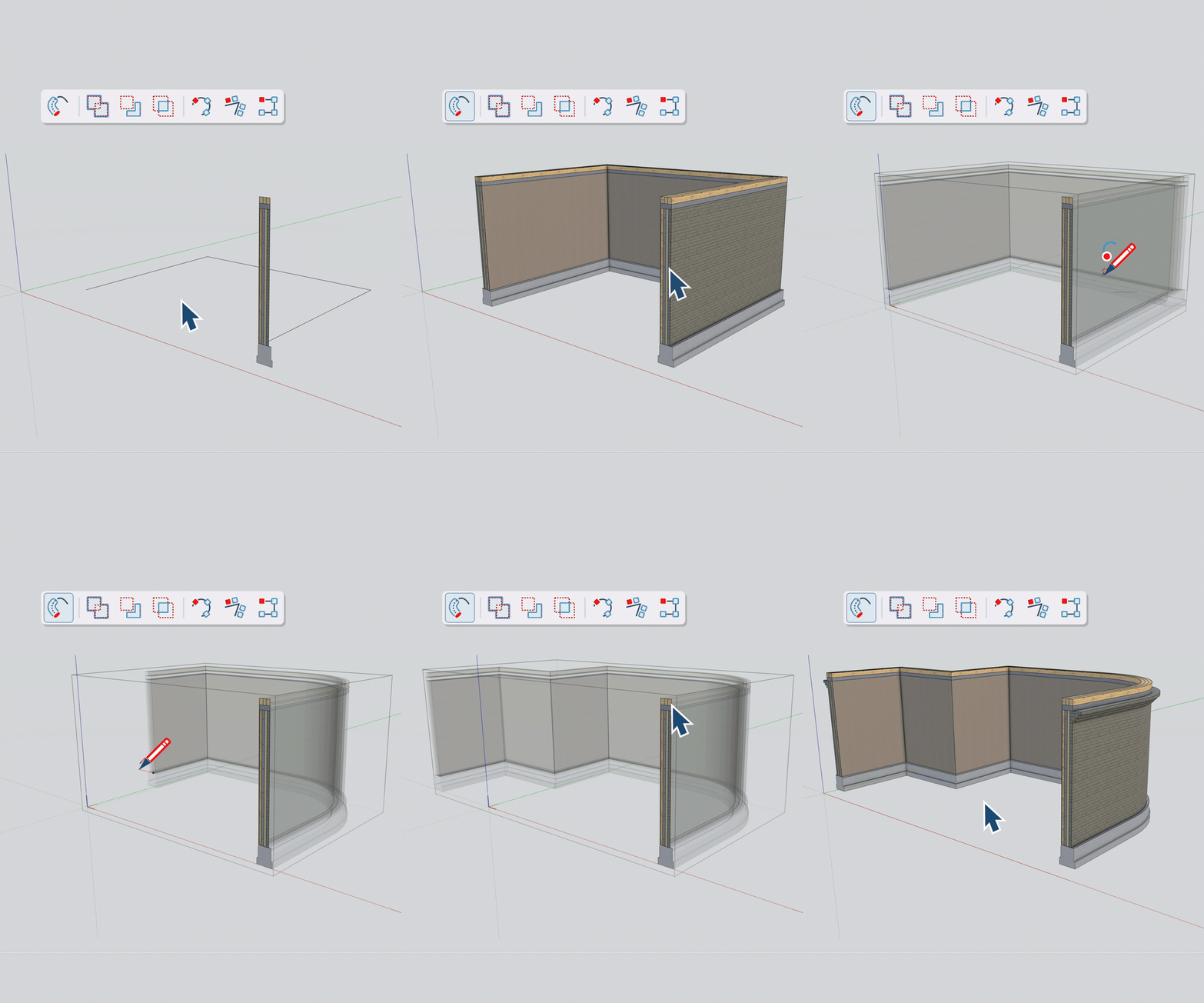
The updated Follow Me tool allows multiple profiles to follow a single path within a group or component.
For example, architects can create multi-layer wall details or complex façade elements in a single operation, with greater flexibility to make adjustments as the design develops.
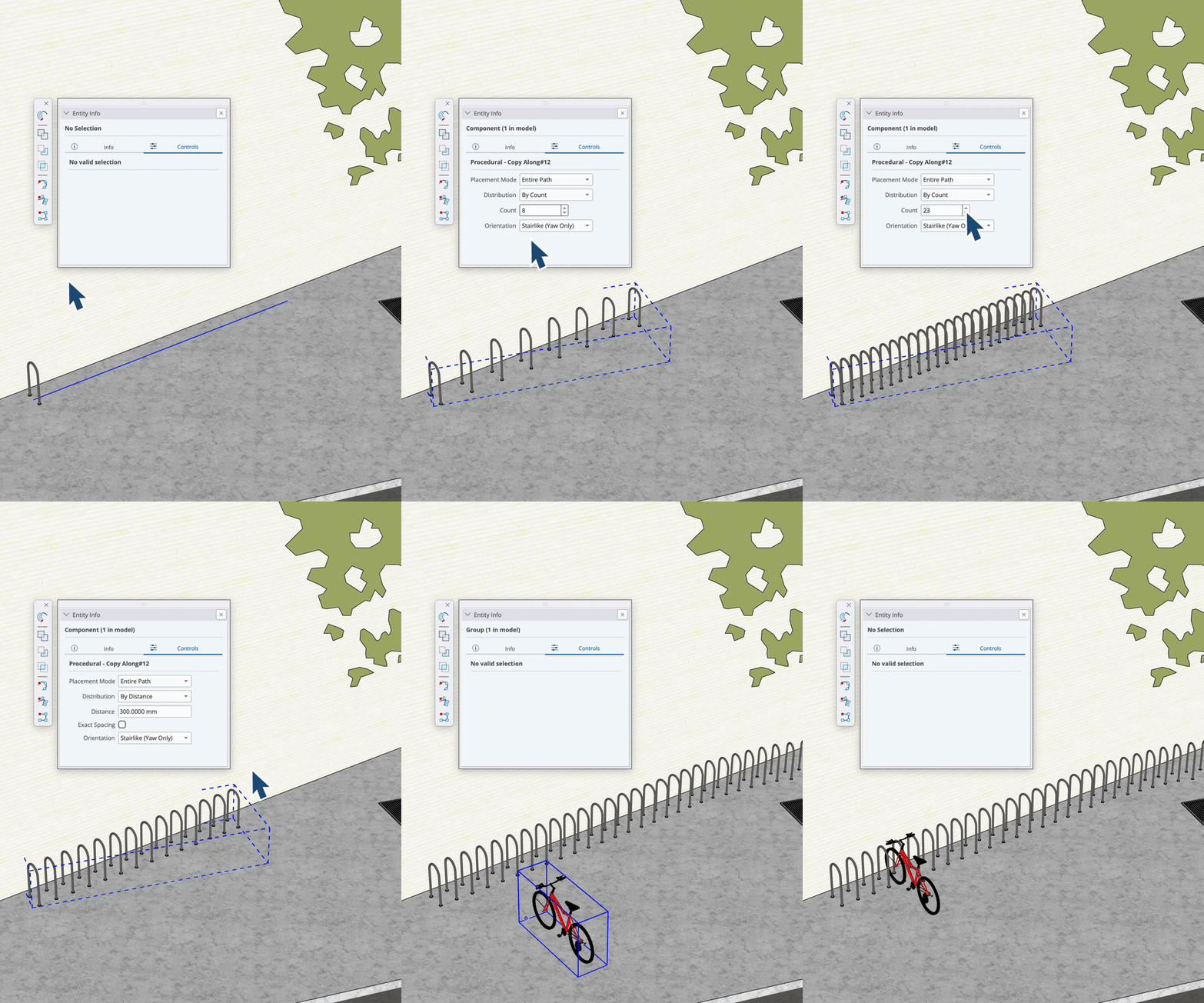
Copy Along introduces a more flexible way to repeat objects along a defined path.
SketchUp recognises the original object’s position relative to the path and applies that relationship to subsequent copies. Spacing can also be adjusted afterwards.
This is particularly useful for repetitive elements such as façade details, street furniture, planting arrangements and architectural features.
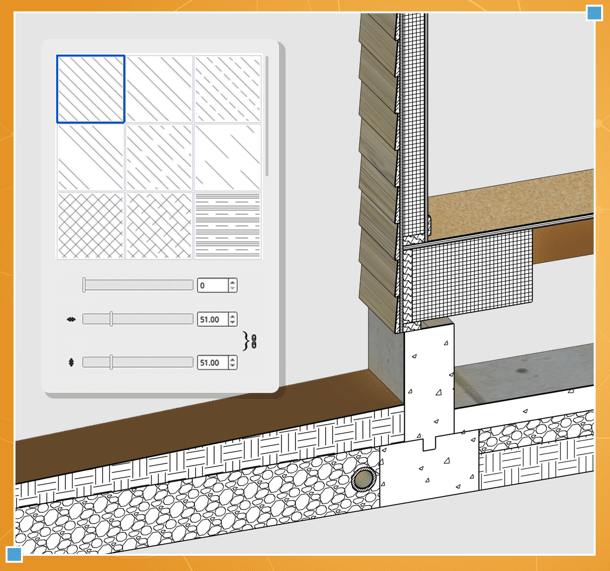
New Section Fill Hatch Patterns provide additional control over how materials and cut elements are represented in section views.
This makes it easier to distinguish between different building elements and communicate construction details more clearly, particularly when preparing technical drawings.
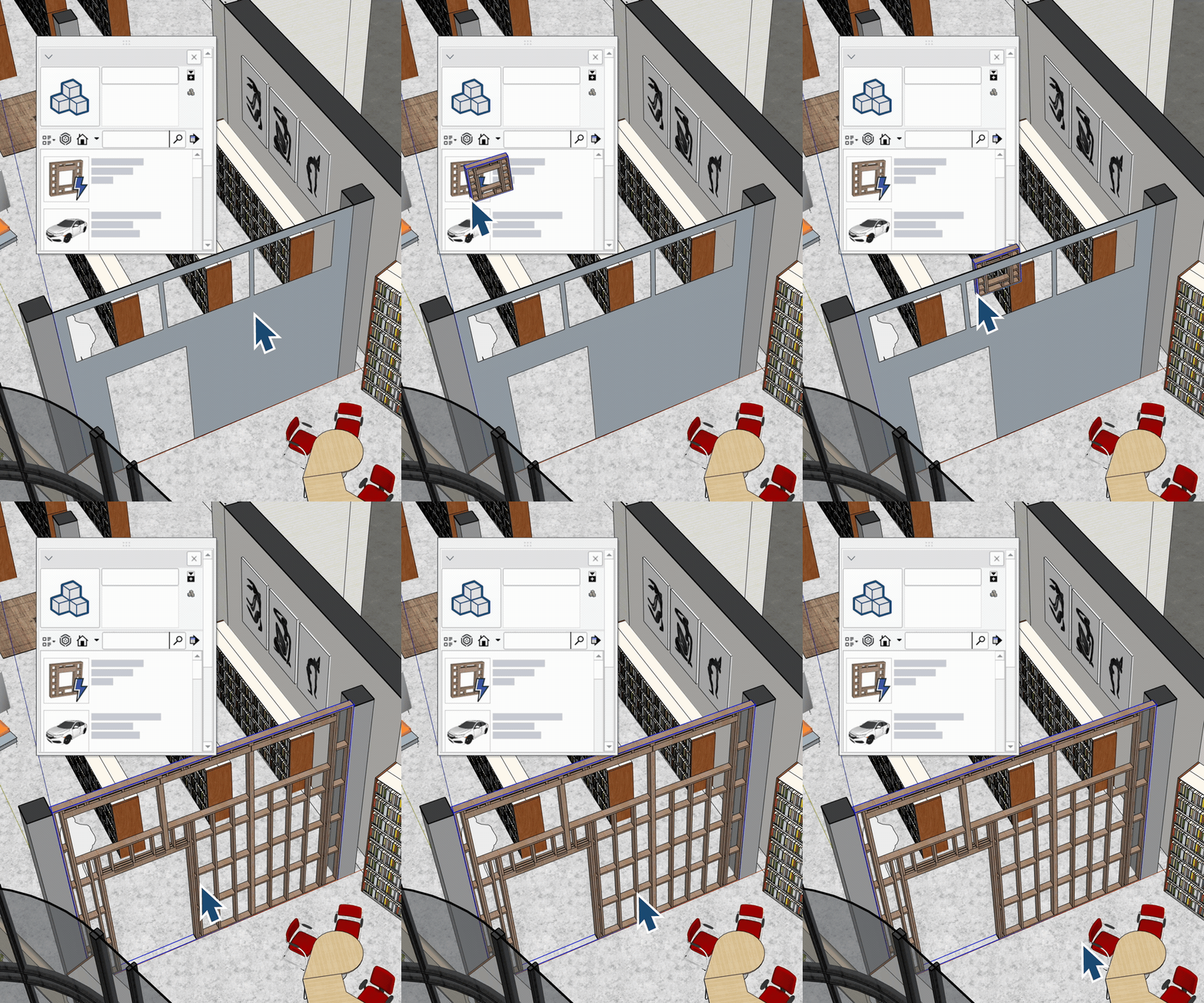
AutoFit Live Components can automatically adapt to the surfaces they’re placed on, including surfaces containing openings.
This reduces the amount of manual resizing and adjustment needed when positioning components, helping users work more efficiently as designs change.
SketchUp 2027.0 also introduces improvements to LayOut, helping users prepare drawings and presentations with less manual work.
Whether you’re producing detailed construction information or client-facing visuals, the updates focus on performance, flexibility and presentation quality.
Improvements to Hidden Line Rendering (HLR) reduce the time required to generate vector linework in SketchUp and LayOut.
This is particularly beneficial when working with larger, more detailed models, where drawing generation and exports can take longer.
Enhanced PDF and DWG export performance also helps streamline the process of sharing documentation with project teams.
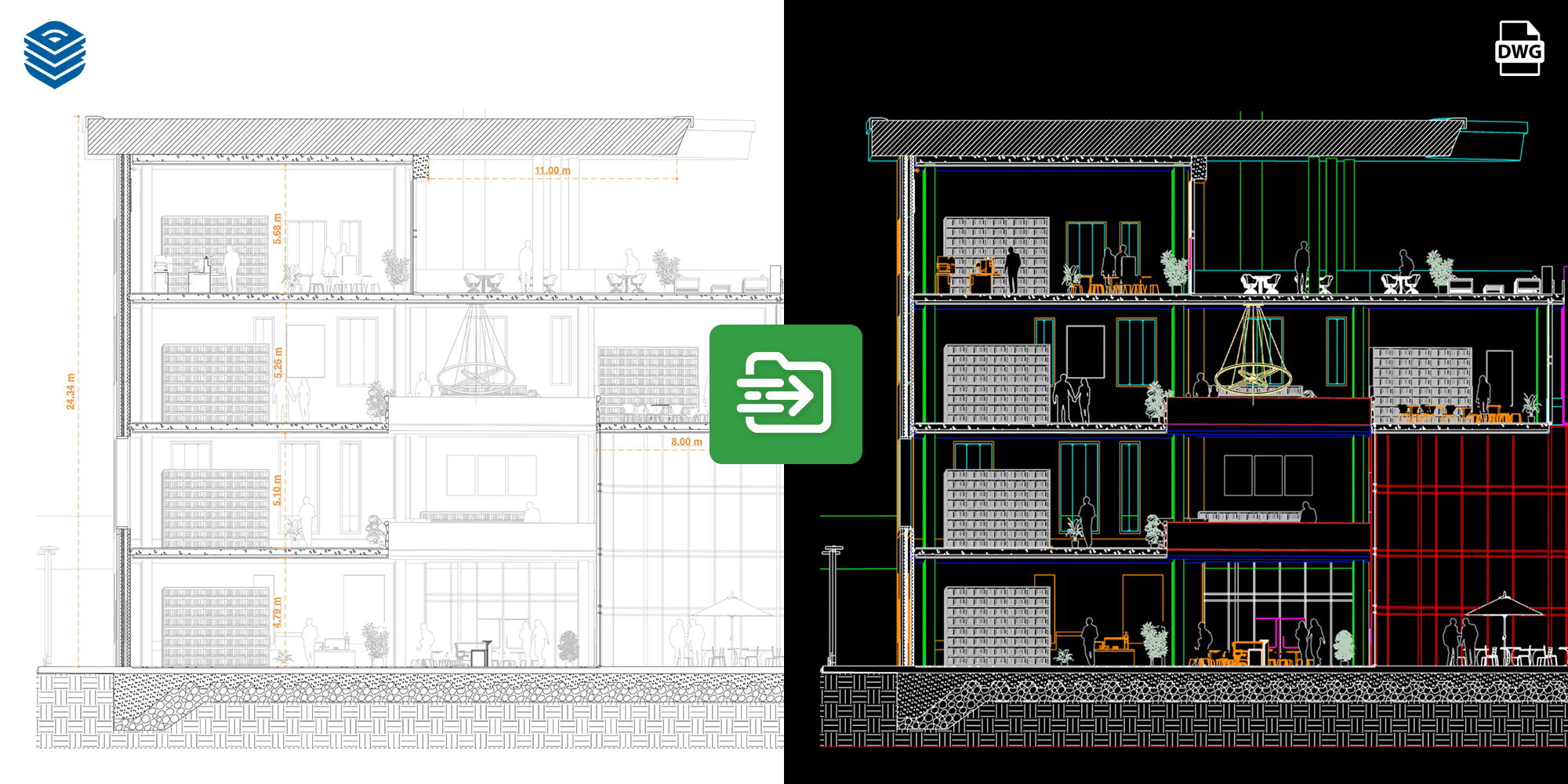
The new Draw Mode in LayOut removes traditional page constraints, allowing users to work more freely when creating 2D drawings.
Instead of being restricted to a predefined sheet size, users can develop drawings on an infinite canvas, with geometry automatically contained within a Scaled Drawing group.
This offers greater flexibility when working on large-scale plans, detailed layouts and drawings that need to be developed before being arranged onto sheets.
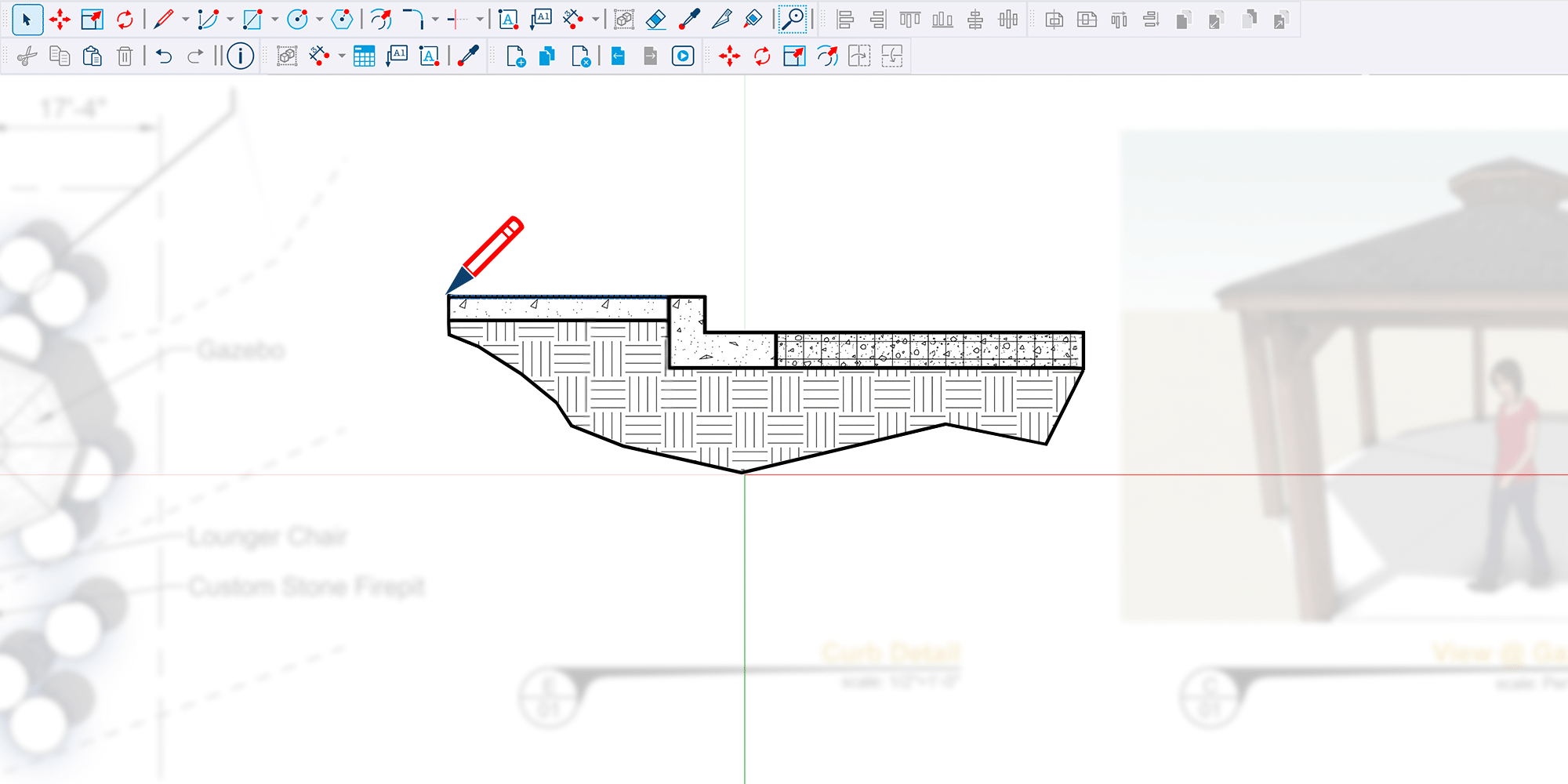
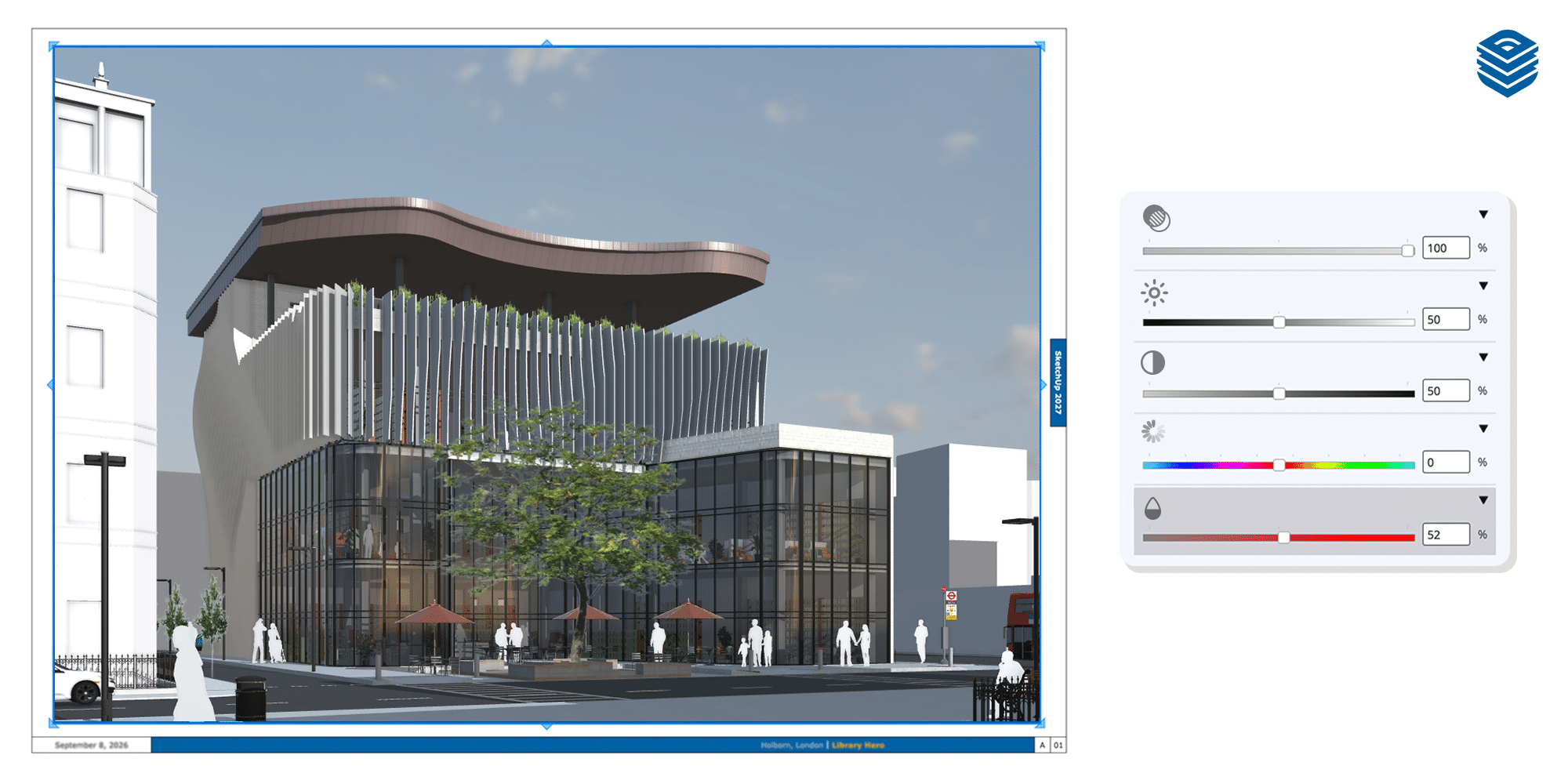
Image and viewport adjustments can now be made directly within LayOut, reducing the need to switch between applications. Users can adjust:
These adjustments are non-destructive, meaning the original image remains unchanged.
For architects and designers preparing presentation boards, this makes it easier to refine visuals and maintain a consistent appearance across project documentation.
Beyond modelling and documentation, SketchUp 2027.0 introduces interface improvements designed to make working across projects more straightforward.
The updated user experience brings greater consistency between Windows and macOS, with improvements to workspace organisation and stability.
Working across several models is common, particularly when comparing design options or managing different elements of a project.
Updated multi-file controls make it easier to navigate between open models, helping users maintain context and move between tasks.
Improvements to workspace customisation give users greater control over how their tools are organised.
Combined with interface refinements, these changes aim to provide a more consistent experience across both operating systems.
Many SketchUp users work alongside other design and construction applications, making reliable file exchange an important part of their workflow.
SketchUp 2027.0 continues to develop its interoperability capabilities, with improvements focused on CAD, BIM and 3D file workflows.
These updates aim to make it easier to move geometry and associated information between applications while reducing unnecessary rework.
For businesses using SketchUp alongside tools such as Autodesk Revit or AutoCAD, improved interoperability can help support more connected design and documentation processes.
The value of these updates will depend on how you use SketchUp, but several improvements are particularly relevant across different industries.
For architects, the introduction of Procedures provides greater flexibility when developing detailed building models.
Complex elements such as layered walls, façade features and repeated components can be created and adjusted more easily as designs evolve.
Faster vector rendering and documentation improvements also help when preparing drawing packages for review, coordination and project delivery.
Interior designers can benefit from more flexible modelling when working with detailed elements such as mouldings, joinery and wall finishes.
Procedural editing makes it easier to accommodate changes without rebuilding existing geometry.
Meanwhile, the ability to adjust images directly in LayOut simplifies the preparation of client presentations and design boards.
For construction professionals, procedural modelling offers additional flexibility when developing and modifying detailed models.
Elements such as service penetrations, joinery and other construction details can be adjusted more easily throughout the project.
Improvements to drawing performance and LayOut’s infinite canvas also support the preparation of site plans, technical documentation and project mark-ups.
Landscape architects can take advantage of Copy Along to position repeated elements such as planting, edging and street furniture along defined paths.
When site layouts change, these arrangements can be adjusted without having to reposition every component individually.
The improved documentation tools also provide greater flexibility when working with larger site plans and detailed landscape drawings.
If you regularly work with detailed models, prepare drawings in LayOut or need to make frequent design revisions, the latest SketchUp release introduces several improvements worth exploring.
Procedures is one of the most significant additions, offering a more flexible approach to modelling that could reduce the time spent revisiting and rebuilding geometry.
The performance and documentation improvements are also particularly useful for professionals managing larger projects or producing detailed drawing packages.
For existing SketchUp users, upgrading provides an opportunity to take advantage of these new capabilities. For businesses considering SketchUp, the 2027.0 release offers further tools to support modelling, documentation and collaboration.
Whether you’re upgrading an existing subscription, adding licences for your team or exploring SketchUp for the first time, choosing the right product is important.
At TMS CADCentre, we can help you understand the different SketchUp subscription options and find the right fit for your business.
Speak to our team to discuss your requirements and get more from your SketchUp software.
SketchUp 2027.0 is the latest major release covered in this article, introducing new procedural modelling capabilities, documentation improvements, interface updates and enhanced interoperability.
To access the latest SketchUp features, you’ll need an eligible SketchUp subscription.
TMS CADCentre can help you compare the available subscription options and choose the most suitable product for your requirements.
If you have an active, eligible SketchUp subscription, you can download and install the latest version of SketchUp for Desktop.
Before upgrading, we recommend checking your system requirements and confirming that any essential third-party extensions are compatible with the new release.
SketchUp 2027 introduces updated operating system requirements.
Windows: SketchUp 2027 requires Windows 11. Users running Windows 10 or earlier should continue using a compatible previous version.
macOS: SketchUp 2027 requires Apple Silicon. Users with Intel-based Macs should continue using SketchUp 2026.
We recommend reviewing the full hardware and software requirements before installing the latest release.
SketchUp includes migration tools to help transfer supported extensions, templates and custom materials from previous versions.
Before upgrading, it’s worth checking that your existing extensions are compatible with SketchUp 2027 and backing up any important custom content.