
Artificial intelligence is rapidly changing the way we work, and the design industry is no exception.
For architects, designers and other professionals working in 3D, AI has the potential to reduce repetitive tasks, speed up visualisation and make it easier to explore ideas. Rather than replacing the creativity and experience of designers, AI tools can support the design process and give professionals more time to focus on the decisions that really matter.
SketchUp is already bringing AI directly into familiar design workflows, helping users move from an initial idea to a developed concept more efficiently.
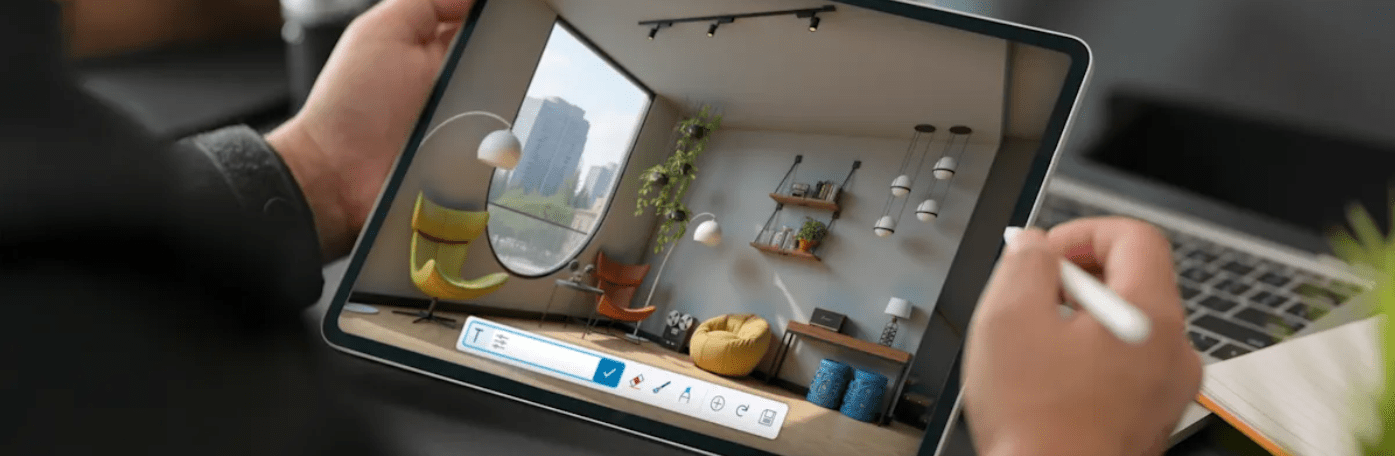
Design projects can involve a significant amount of repetitive and time-consuming work.
Creating visualisations, searching for suitable 3D assets, modelling individual objects and finding answers to software questions can all take time away from the creative side of a project.
AI can help streamline some of these processes. By integrating AI tools directly into SketchUp, designers can use artificial intelligence alongside their existing skills and workflows rather than treating it as a separate part of the design process.
This can help teams:
The result isn’t necessarily about designing instead of the user. It’s about helping designers get from an idea to something they can evaluate, develop and communicate more quickly.
One of the most interesting applications of AI within SketchUp is the ability to generate 3D geometry using prompts.
Instead of modelling every object manually, SketchUp’s AI tools can help generate objects based on text or image inputs.
You might describe the type of object you need or provide an image as a reference, allowing AI to generate geometry that can then become part of your SketchUp workflow.
This can be particularly useful during early design stages, when the priority is often exploring ideas rather than spending significant amounts of time creating every element from scratch.
AI-generated geometry can provide a useful starting point that designers can then review, modify and develop using their own experience.
Visualisation is another area where AI can make a significant difference. SketchUp AI Render allows users to transform their SketchUp models into rendered images using natural-language prompts.
Instead of waiting until later in the project to produce detailed visualisations, designers can quickly experiment with different materials, environments, styles and design directions.
This makes it easier to compare ideas and communicate the intent behind a project. For example, a relatively simple SketchUp model could be used to explore different finishes or visual styles without having to manually build every variation.
AI Render therefore becomes more than simply a tool for producing attractive images. It can also support the iterative design process by making visual experimentation quicker and more accessible.
AI can also help remove some of the smaller interruptions that can slow down a workflow.
SketchUp’s AI-powered Help allows users to ask questions conversationally and receive guidance while working. Instead of interrupting your workflow to search through multiple resources, you can ask questions about SketchUp features and workflows using natural language.
For newer SketchUp users, this can make it easier to learn the software. For experienced users, it can provide a quicker way to find information when they need it.
Finding the right model in 3D Warehouse traditionally relies heavily on knowing exactly what to search for.
AI-powered Image Search provides another approach. Users can search using an image rather than relying entirely on keywords, helping them discover visually similar models within 3D Warehouse.
For designers working from inspiration images, product references or existing concepts, this can make it easier to find suitable assets without spending as much time experimenting with different search terms.
AI is also beginning to change the way designers interact with 3D modelling software.
The SketchUp Connector for Claude introduces a conversational approach to creating SketchUp models. Users can describe what they want to create using natural language and provide information such as dimensions, reference images, sketches or floor plans.
The AI can then use these instructions to generate SketchUp geometry. Rather than replacing traditional modelling, conversational workflows provide designers with another way to move from an idea to an initial 3D model.
Designs can then be refined through further instructions or developed using SketchUp’s familiar modelling tools.
As AI becomes more capable, it’s understandable that there are questions about what this means for architects and designers. However, the real value of AI within SketchUp is not replacing the designer.
A successful project still requires human judgement, experience, creativity and an understanding of the client’s requirements. AI doesn’t replace those skills. Instead, it can help remove some of the repetitive work surrounding them.
If AI can help generate an initial object, produce a visualisation or quickly provide information about a SketchUp workflow, designers can spend more time considering the bigger questions around their projects.
Ultimately, AI should support design thinking rather than replace it.
One of the biggest opportunities AI offers is faster iteration. Design is rarely about producing one idea and sticking with it. Concepts develop as different options are explored, feedback is received and project requirements change.
If AI reduces the time required to create some of those variations, designers could investigate more possibilities before making a decision.
That could mean comparing different materials, experimenting with alternative layouts or quickly visualising different approaches for a client.
More iterations don’t automatically result in a better design, but having the ability to explore ideas more efficiently can give designers more information when making important decisions.
AI within design software is still developing quickly. What we’re already seeing within SketchUp is a shift towards AI becoming integrated directly into everyday workflows rather than existing as a completely separate technology.
From generating 3D objects and creating visualisations to finding models and accessing help, AI is increasingly being used to reduce friction between having an idea and exploring it in 3D.
The designer remains at the centre of that process.
As these tools continue to develop, the biggest benefit may simply be giving designers more time – more time to explore ideas, communicate designs and focus on the creative decisions where their expertise adds the most value.
AI is adding new possibilities to an already flexible SketchUp workflow, helping designers model, visualise and explore their ideas more efficiently.
Whether you’re considering SketchUp for the first time, looking to upgrade your current subscription or want to understand which SketchUp package is best suited to your workflow, TMS CADCentre can help.
Our team can discuss your requirements and help you find the right SketchUp solution for your business. Contact TMS CADCentre today to start your SketchUp journey.