THOM MICRO SYSTEMS

Revit Room Boundaries

Rooms are powerful objects and an essential part of Revit for scheduling information.  It’s important to make sure they are placed correctly and although they are placed in plan view, they are a 3D element enclosing the entire volume that they are allocated to. Rooms automatically pick up bounding elements such as walls, floors and ceilings - and you can use the Highlight Boundaries tool as an aid before placement.

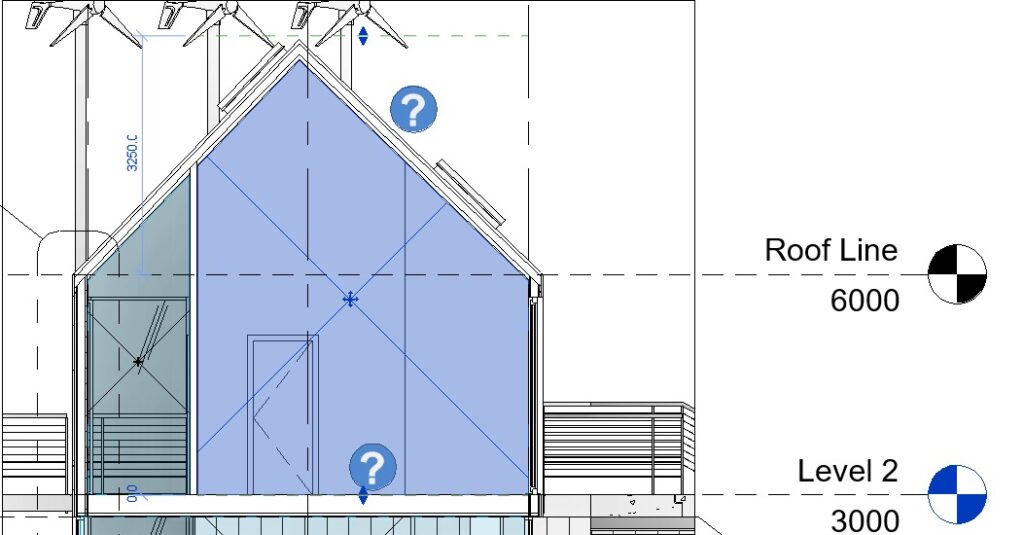
However, you should also be aware of how they associate to levels and how you can utilise the Limit Offset property. When there is no physical element for the Room to be bound by then we can associate it with the Level above, but this can often lead to areas of the building being missed resulting in inaccurate volume calculations – such as the case below where the room volume should include the space up to the underside of the roof but instead incorrectly stops at the Roof Line Level.
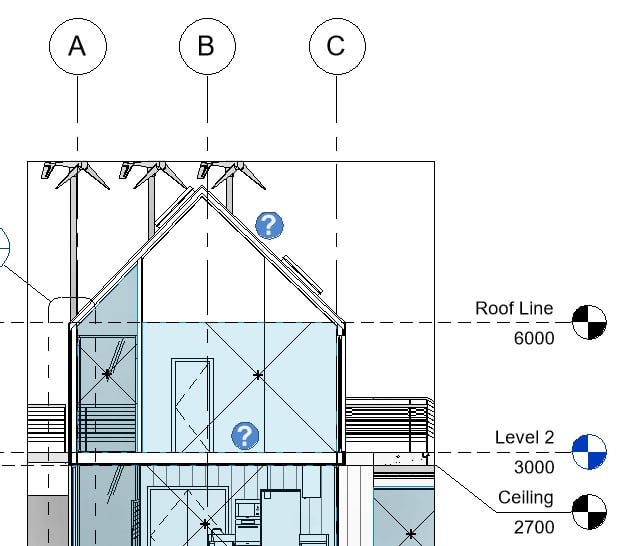
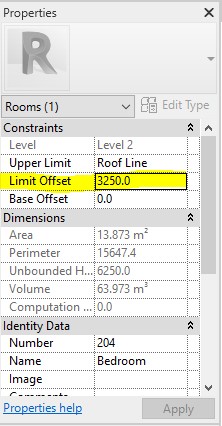
By setting the room’s Limit Offset we can force it to go above the level it is associated to and therefore include the empty roof space – this is also important when relating to the Space tool for MEP calculations. 
Note that Revit now defaults to using the underside of the roof as a bounding element and will report the room volume correctly.

Useful Note – Walls, floors, roofs, ceilings, architectural columns and  curtain systems all have an instance property built in to make them ‘Room Bounding’ this is a tick box which can be switched on or off as necessary.

We hope you enjoy these tips!

Related Articles

In Memory of Gareth Thom

In Memory of Gareth Thom

It is with deep sadness that we announce the passing of our Managing Director, Gareth Thom, who died on 20th April 2025. Gareth was not only an outstanding, intelligent leader but also a beloved member of the Thom family.  A highly talented programmer with an...

DriveWorks World 2025

DriveWorks World 2025

DriveWorks World is the annual technical learning event for DriveWorks users and resellers. The focus of the event is always on sharing knowledge, technical know-how and handy tips and tricks. It’s your opportunity to join hundreds of other DriveWorks users from...

WSAudiology develops leading-edge hearing aids with SIMULIA simulation

WSAudiology develops leading-edge hearing aids with SIMULIA simulation

In the early days, hearing aids were basic amplifiers with limited features and poor sound quality, often causing issues like whistling or clicks. However, demand led to significant investment in research and development. Currently, over 430 million people worldwide...